
The advancement of contemporary computer software has had a profound impact on civil engineering. Civil engineering software list is now a crucial component of professional engineering work, from creating 2D drawings and 3D models to structural analysis, road design, quantity estimation, project management, BIM, and surveying.
Learning the proper software can increase productivity and open up more employment options for civil engineering students, recent graduates, site engineers, structural engineers, architects, consultants, and contractors.
Popular applications including AutoCAD, Civil 3D, Revit, SketchUp, ETABS, STAAD.Pro, SAP2000, SAFE, Primavera P6, MS Project, QGIS, HEC-RAS, and other helpful tools are included in this article’s extensive list of civil engineering software. Additionally, we’ve included useful online resources like the MCQCivil Civil Engineering MCQ Test App, the Brick Calculator, and the Gravel Calculator.
What Is Civil Engineering Software?
Computer programs used by engineers and construction professionals to design, analyse, model, estimate, plan, and manage civil engineering projects are referred to as civil engineering software.
These tools can be used for:
- 2D drafting and technical drawings
- 3D modeling
- Structural analysis and design
- Road and highway design
- Building Information Modeling (BIM)
- Quantity estimation
- Construction planning
- Project management
- Surveying and land development
- GIS and mapping
- Hydraulic and water resources analysis
- Geotechnical analysis
- Visualization and rendering
No single piece of software can be used for all civil engineering tasks. The ideal civil engineering software list will depend on your area of expertise, project specifications, and professional objectives.
Top Civil Engineering Software List
Listed below are the top civil engineering software list check it out:
1. AutoCAD
AutoCAD is one of the most important CAD programs for civil engineers. AutoCAD comes first in civil engineering software list. It is widely used for creating accurate 2D drawings and can also be used for 3D modeling.
Civil engineers commonly use AutoCAD for:
- Site plans
- Floor plans
- Road drawings
- Structural drawings
- Drainage drawings
- Detail drawings
- Construction documentation
- Survey drawings
For students who are starting their software-learning journey, AutoCAD is often a good first software to learn because it develops fundamental drafting and CAD skills.
2. Autodesk Civil 3D
Civil 3D is specifically designed for civil infrastructure design. It is useful for engineers working on roads, highways, land development, grading, drainage, surfaces, and other infrastructure projects. Autodesk Civil 3D comes second in civil engineering software list.
Civil 3D can be used for:
- Surface modeling
- Road alignment
- Profile design
- Corridors
- Grading
- Pipe networks
- Survey data
- Earthwork calculations
- Plan production
Autodesk describes Civil 3D as a civil engineering design and construction documentation solution.
If your career goal is transportation engineering, highway design, land development, or infrastructure design, Civil 3D is an important software to consider.
3. Revit
Autodesk Revit is a Building Information Modeling (BIM) platform used extensively in building design and construction. Autodesk Revit comes third in civil engineering software list.
Revit allows engineers and designers to create intelligent 3D building models containing information about building components.
Civil and construction professionals can use Revit for:
- Building modeling
- Structural modeling
- Architectural design
- Construction documentation
- BIM coordination
- Quantity information
- Project collaboration
Revit becomes particularly useful when working on multidisciplinary building projects where architects, structural engineers, and MEP professionals need to coordinate their work.
4. SketchUp
SketchUp is a popular 3D modeling software known for its relatively simple modeling workflow. It comes fourth in civil engineering software list.
Civil engineers, architects, interior designers, and construction professionals can use SketchUp for:
- Conceptual building models
- Site visualization
- 3D house design
- Landscape modeling
- Presentation models
- Preliminary design
- Construction visualization
For students and beginners who want to understand 3D modeling, SketchUp can be a useful tool to learn.
5. ETABS
ETABS is a structural analysis and design software widely used for building structures. It comes fifth in civil engineering software list.
It is particularly useful for analyzing and designing:
- Reinforced concrete buildings
- Steel buildings
- Multi-storey structures
- Frames
- Shear walls
- Structural systems
ETABS can help engineers model a building, apply loads, analyze structural behavior, and design structural components according to supported design codes.
For students interested in structural engineering, ETABS is one of the major software packages worth learning.
6. STAAD.Pro
STAAD.Pro is another widely used structural analysis and design software. It comes sixth in civil engineering software list.
It can be used for structural modeling and analysis of different types of structures, including:
- Steel structures
- RCC structures
- Industrial structures
- Frames
- Buildings
- Towers
- Bridges
STAAD.Pro is particularly useful for engineers working with structural analysis and design.
7. SAP2000
SAP2000 is a structural analysis and design program suitable for a wide range of structural systems. It comes Seventh in civil engineering software list.
Engineers can use it for:
- Building structures
- Bridges
- Towers
- Industrial structures
- Frames
- Dynamic analysis
- Static analysis
It is a useful option for engineers who want to develop advanced structural analysis skills.
8. SAFE
SAFE is commonly used for the analysis and design of floor systems and foundations. It comes eighth in civil engineering software list.
It can be useful for designing:
- Slabs
- Flat plates
- Raft foundations
- Foundation systems
Structural engineers often use specialized programs such as SAFE alongside other structural analysis software.
9. Primavera P6
Primavera P6 is a project planning and scheduling software widely associated with large construction and engineering projects. It comes ninth in civil engineering software list.
It can be used for:
- Project scheduling
- Activity planning
- Resource management
- Progress tracking
- Construction planning
- Project monitoring
For civil engineers interested in construction management and planning, Primavera P6 is a valuable skill.
10. Microsoft Project
Microsoft Project is another project management and scheduling tool. It comes tenth in civil engineering software list.
It can help construction professionals organize:
- Project activities
- Work schedules
- Resources
- Project duration
- Dependencies
- Progress
It is useful for engineers who work in project management, construction planning, and site coordination.
11. QGIS
QGIS is an open-source Geographic Information System (GIS) software. It comes first in civil engineering software list.
Civil engineers can use GIS tools for:
- Mapping
- Spatial analysis
- Site analysis
- Infrastructure mapping
- Land-use analysis
- Geographic data visualization
GIS knowledge can be particularly useful in transportation, urban planning, environmental engineering, surveying, and infrastructure projects.
12. HEC-RAS
HEC-RAS is commonly used for hydraulic and river analysis.
It can help engineers study:
- River hydraulics
- Floodplain analysis
- Water surface profiles
- Open-channel flow
- Flood modeling
It is particularly useful for civil engineers specializing in water resources and hydraulic engineering.
13. PLAXIS
PLAXIS is used for geotechnical engineering and numerical analysis.
It can be applied to problems involving:
- Soil behavior
- Foundations
- Excavations
- Slopes
- Tunnels
- Embankments
- Soil-structure interaction
Geotechnical engineers working on complex soil and foundation problems may benefit from learning finite element analysis software such as PLAXIS.
Useful Civil Engineering Tools for Students and Engineers
Software is not the only type of digital tool that can help civil engineers. Online calculators and examination platforms can also save time and improve technical knowledge.
14. Brick Calculator
A Brick Calculator is a useful tool for estimating the number of bricks required for a wall.
Instead of manually calculating brick quantities, users can enter wall dimensions and other required parameters to obtain an approximate brick quantity.

The Brick Calculator available through MCQCivil is designed to help calculate required bricks, wall quantity, mortar, and material estimates.
It can be useful for:
- Civil engineering students
- Site engineers
- Estimation work
- Building construction
- Quantity calculations
- Preliminary material planning
For quick construction calculations, an online brick calculator can save time and reduce repetitive manual calculations.
15. Gravel Calculator
A Gravel Calculator is another useful online tool for construction and landscaping projects.
It can help estimate how much gravel is required based on:
- Length
- Width
- Depth
The basic volume calculation is:
Gravel Volume = Length × Width × Depth
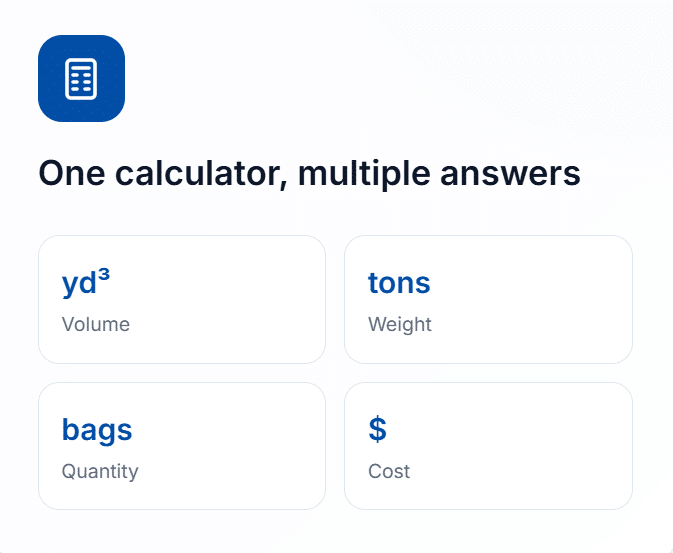
A gravel calculator can be useful when estimating material requirements for:
- Roads
- Driveways
- Walkways
- Landscaping
- Trenches
- Construction works
- Ground preparation
Users should always consider project-specific conditions, compaction, wastage, and material characteristics when placing an actual order.
16. MCQCivil Civil Engineering MCQ Test App
For civil engineering students and candidates preparing for competitive examinations, technical knowledge is just as important as software skills.
The MCQCivil Civil Engineering MCQ Test App provides civil engineering practice resources, including mock tests, subject-wise questions, and other learning tools. MCQCivil currently lists more than 240 mock tests and multiple civil engineering subject categories on its platform.
The platform can be useful for practicing subjects such as:
- Surveying
- Building Materials
- Strength of Materials
- RCC
- Steel Structures
- Soil Mechanics
- Transportation Engineering
- Hydraulics
- Environmental Engineering
- Estimation and Costing
Regular MCQ practice can help students improve speed, accuracy, and familiarity with important civil engineering concepts.
You can explore the MCQCivil Civil Engineering MCQ Test platform for mock tests and engineering tools.
Civil Engineering Software by Specialization
Choosing software based on your specialization is usually better than trying to learn every program.
| Civil Engineering Field | Recommended Software |
|---|---|
| CAD & Drafting | AutoCAD |
| Highway Engineering | Civil 3D |
| Building Design | Revit |
| 3D Modeling | SketchUp |
| Structural Engineering | ETABS, STAAD.Pro, SAP2000 |
| Slab & Foundation Design | SAFE |
| Project Management | Primavera P6, MS Project |
| GIS | QGIS |
| Hydraulic Engineering | HEC-RAS |
| Geotechnical Engineering | PLAXIS |
| Infrastructure Design | Civil 3D, InfraWorks |
| Construction Visualization | SketchUp, Revit |
| Quantity Estimation | Excel, specialized estimating tools |
| Competitive Exam Preparation | MCQCivil MCQ Test App |
Which Software Should a Civil Engineering Student Learn First?
If you are a beginner, learning too many programs at the same time can become confusing.
A practical learning path could be:
Step 1: Learn AutoCAD
Start with 2D drafting, layers, dimensions, blocks, layouts, plotting, and technical drawings.
Step 2: Choose Your Specialization
After learning the basics of CAD, decide whether you are more interested in:
- Structural engineering
- Transportation engineering
- Construction management
- Geotechnical engineering
- Water resources
- Building design
- Surveying and GIS
Step 3: Learn Specialized Software
For example:
Structural Engineering:
AutoCAD → ETABS/STAAD.Pro → SAFE
Transportation Engineering:
AutoCAD → Civil 3D → GIS
Construction Management:
AutoCAD → Excel → Primavera P6/MS Project
Building/BIM:
AutoCAD → Revit → Navisworks
Geotechnical Engineering:
AutoCAD → PLAXIS → GIS/other specialized tools
Why Should Civil Engineers Learn Software?
Learning civil engineering software can provide several advantages.
1. Faster Design
Computer-based design is generally much faster than preparing every drawing manually.
2. Better Accuracy
Digital tools provide precise dimensions, calculations, models, and documentation when used correctly.
3. Improved Visualization
3D modeling programs such as SketchUp and Revit can help engineers and clients understand a proposed project more easily.
4. Better Career Opportunities
Many engineering and construction roles require knowledge of CAD, BIM, structural analysis, project management, or other specialized software.
5. Easier Project Modification
Digital drawings and models can be modified more easily than traditional manual drawings.
6. Better Coordination
BIM and collaborative design workflows can help different project disciplines coordinate their work.
Is AutoCAD Enough for a Civil Engineer?
AutoCAD is an important foundation, but it may not be enough for every career path.
For example, a structural engineer may benefit from ETABS, STAAD.Pro, SAP2000, or SAFE. A transportation engineer may need Civil 3D. A BIM-focused professional may need Revit and related coordination tools.
Therefore, instead of asking “What is the best civil engineering software?”, it is better to ask:
“Which software is best for my civil engineering specialization?”
Civil Engineering Software Skills vs Engineering Knowledge
Software is a tool, not a replacement for engineering knowledge.
A civil engineer should understand engineering principles before depending on software calculations. For example, structural analysis software can produce results, but the engineer must understand loads, structural behavior, boundary conditions, modeling assumptions, and applicable design standards.
Similarly, a road design program can help create alignments and profiles, but the engineer must understand geometric design principles and project requirements.
Therefore, the best approach is:
Engineering Knowledge + Software Skills + Practical Experience
Together, these skills create a stronger civil engineering professional.
At Last
There is no need to become proficient with every program in the vast field of civil engineering software. Start with the software that best suits your professional objectives, then progressively increase your technical proficiency.
AutoCAD is a good place to start for the majority of novices. You can then proceed with Civil 3D, Revit, SketchUp, ETABS, STAAD.Pro, SAP2000, SAFE, Primavera P6, QGIS, HEC-RAS, PLAXIS, or other specialised tools, depending on your area of expertise.
Simultaneously, useful internet resources like the Gravel Calculator and Brick Calculator help simplify routine building computations. The MCQCivil Civil Engineering MCQ Test App can offer a practical means of practicing technical questions and mock exams for students getting ready for civil engineering exams.
The most crucial thing is to avoid compiling an extensive list of program names. Rather, pick the appropriate tools for your sector, master them well, and integrate software expertise with solid civil engineering principles.